How to Integrate Mautic- Help Center - SyncSpider
TABLE OF CONTENTS
Description
Mautic enables you to provide more personalized marketing to your customers allowing for greater results for your company .
Entities
Source | Target |
|---|---|
Contact | Contact |
Steps
Step 1.
Either while Creating a Task or in the Integrations menu.
Enter the name of the integration in the search bar.

Step 2.
Enter the Name of the Integration.
You can optionally also enter a description.

Step 3.
You will be prompted for the Base URL, Client Key and Client Secret.

Step 4.
Login to your Mautic account, click on setting gear and then click on API Credentials and then Click on New for generation of credentials. Choose Authorization Protocol “OAuth 2”, Name your integration and in redirect URL add https://app.syncspider.com/mautic/access_token


Step 5.
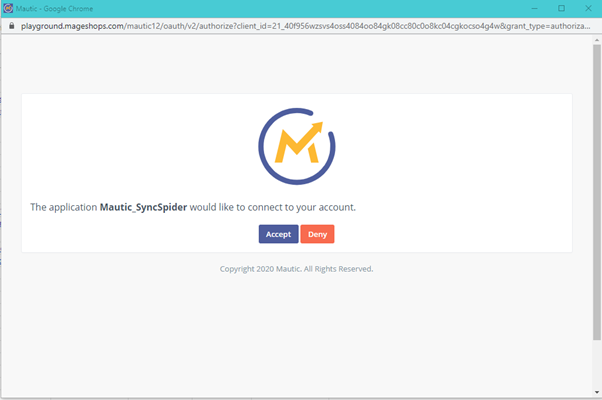
Click on Apply, Client ID(Key) & Secret will be generated, Copy that and add it to your SyncSpider integration and click on Save & Close in Mautic. Go to SyncSpider integration and click on Get Token, another pop up page will open enter your Mautic Credentials and accept SyncSpider integration.


Mautic is just one of the tools we support!
To check the list of the tools and features we support please click here!
If you don't see your favorite tool on our list, please take the time and send us the request here to create an integration for you or UP-vote if it's already on the list
We develop integrations based on the requests and up-votes
We hope that this covers everything. If you have any further questions or need additional clarification please reach out to us via [email protected] or our chat widget!
Updated on: 22/09/2026
Thank you!